


Ballad Health is updating its app to provide a more user-friendly experience and give users access to the latest MyChart features as they become available. The new app experience will be available starting today, Nov. 10.
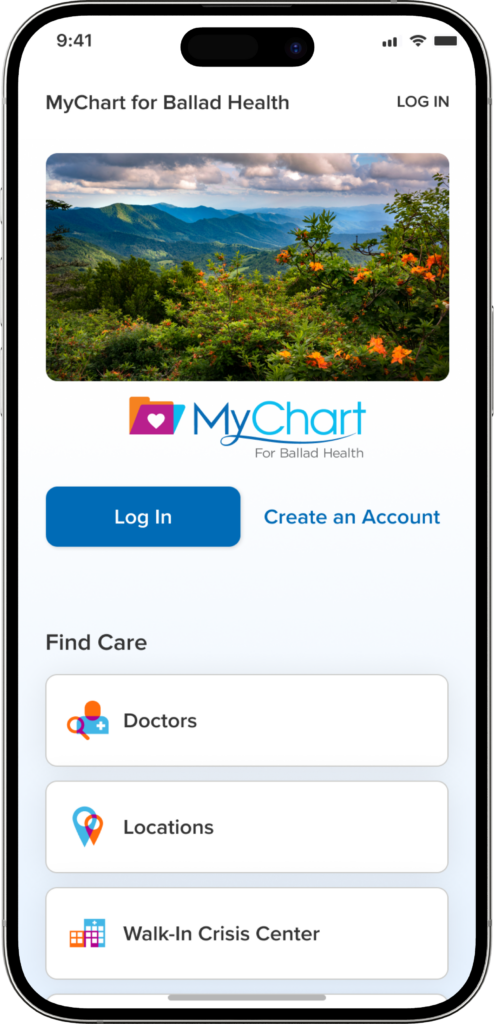
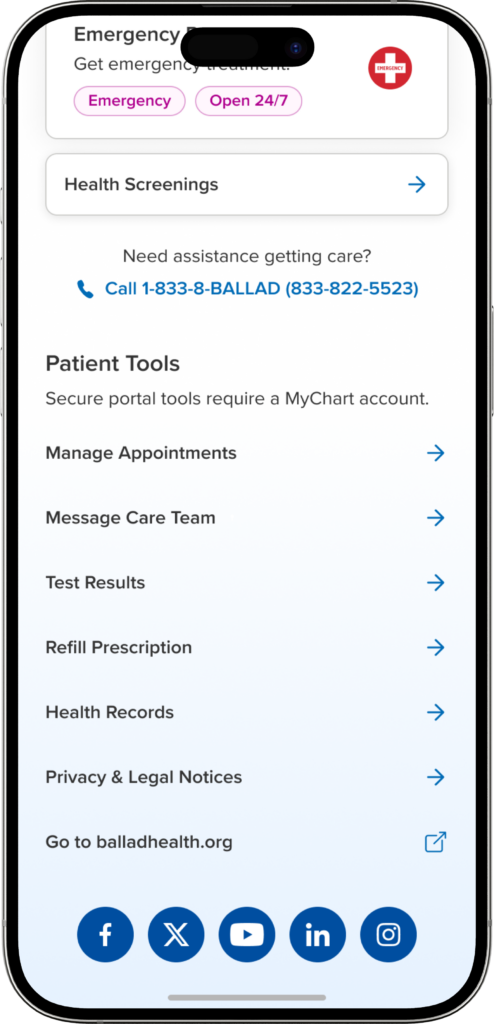
The app will have a different look and feel, but if you or your patients already use the Ballad Health app, there’s no need to download a new app or create a new MyChart account. Users will simply update the Ballad Health app they already have, and their MyChart account information will remain unchanged.
Why it matters
For patients, the update enables access to new MyChart features as they’re released, all within the app they already know. For team members, understanding the change will help you answer patient questions with confidence and reassure them that their MyChart account information is not changing. If you use the Ballad Health app for your own care, you’ll benefit from the same improvements.
What’s changing?
The biggest difference users will notice is a new look and feel. The updated Ballad Health app will more closely match the latest version of MyChart.
What’s staying the same?
- You’ll keep using the same Ballad Health app. There’s no separate app to download.
- Your MyChart account information is not changing. You can continue using your existing MyChart login information.
- You’ll continue to have access to Ballad Health resources and MyChart features through the app.
How to update the Ballad Health app
If your phone is set to update apps automatically, the Ballad Health app may update without any action from you. Otherwise, you can update it manually through the Apple App Store or Google Play Store.
The updated app is version 18.14.2 on iOS and version 11.8.4 on Android devices.
On an iPhone or iPad
- Open the App Store.
- Tap the My Account button or your photo at the top of the screen.
- Tap App Updates.
- Find the Ballad Health app and tap Update.
Apple notes that App Store apps update automatically by default, so you may not need to update the app manually.
On an Android device
- Open the Google Play Store app.
- Tap your profile icon in the top-right corner.
- Select Manage apps & device.
- Under Updates available, tap See details.
- Find the Ballad Health app and tap Update.
Android users can also configure apps to update automatically through Google Play.
What happens after I update?
When you open the updated Ballad Health app, you’ll notice a different look and feel to MyChart. You’ll still be able to log in with your existing MyChart account information, and the app will continue to provide access to Ballad Health resources and MyChart functionality.
Contact us
If you or a patient has questions about the Ballad Health app update or needs assistance,please call 866-517‑5873 Monday through Friday, 8 a.m. to 5 p.m.
For more information on how to download the Ballad Health mobile app, please visit www.balladhealth.org/mobile-app.
More information on MyChart can be found at www.balladhealth.org/mychart.
